
Logging In and Out Verifier+
Introduction:
This guide will show you how to log into Verifier+ as well as how to log out of the application.
Log in to Verifier+
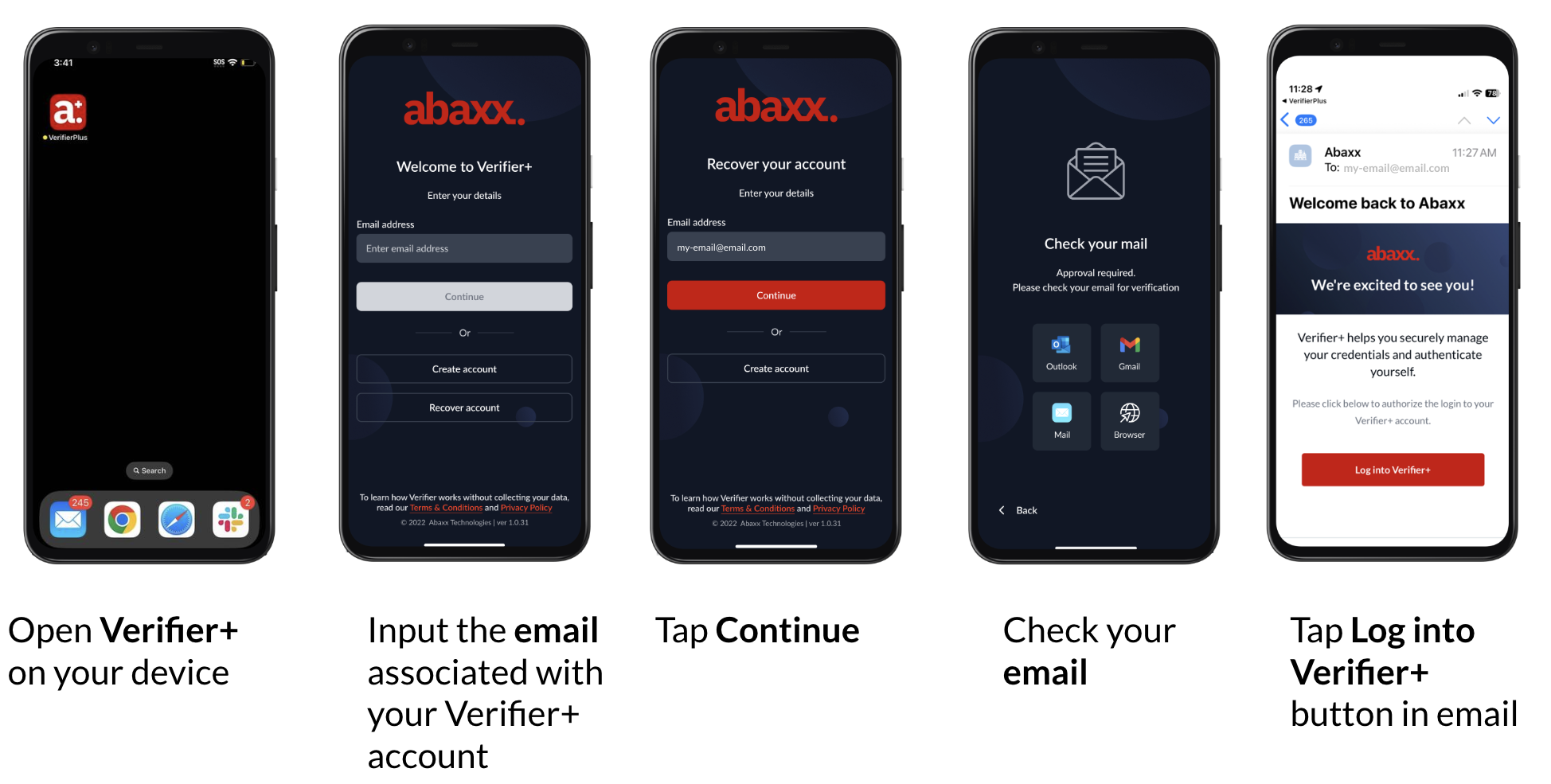
Step 1: Open Verifier+ and enter the account’s email address
Launch Verifier+ on your device, enter the email address for your account.
Click the “Continue” button to initiate login.
Step 2: Check your Email to Log In.
Open your email application to find the Abaxx Welcome Back Email.
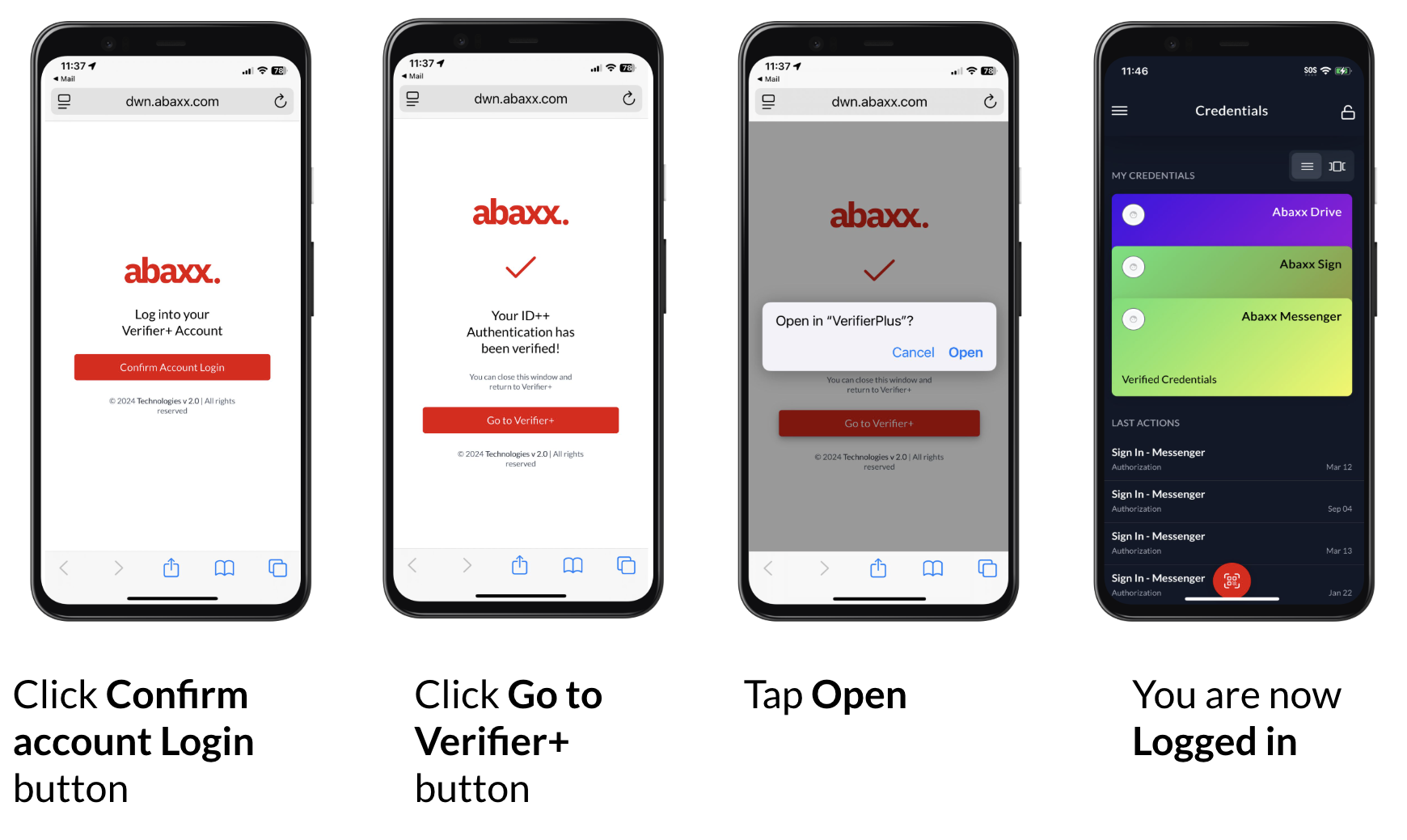
Review the email and click “Log into Verifier+”.
Log Out of Verifier+
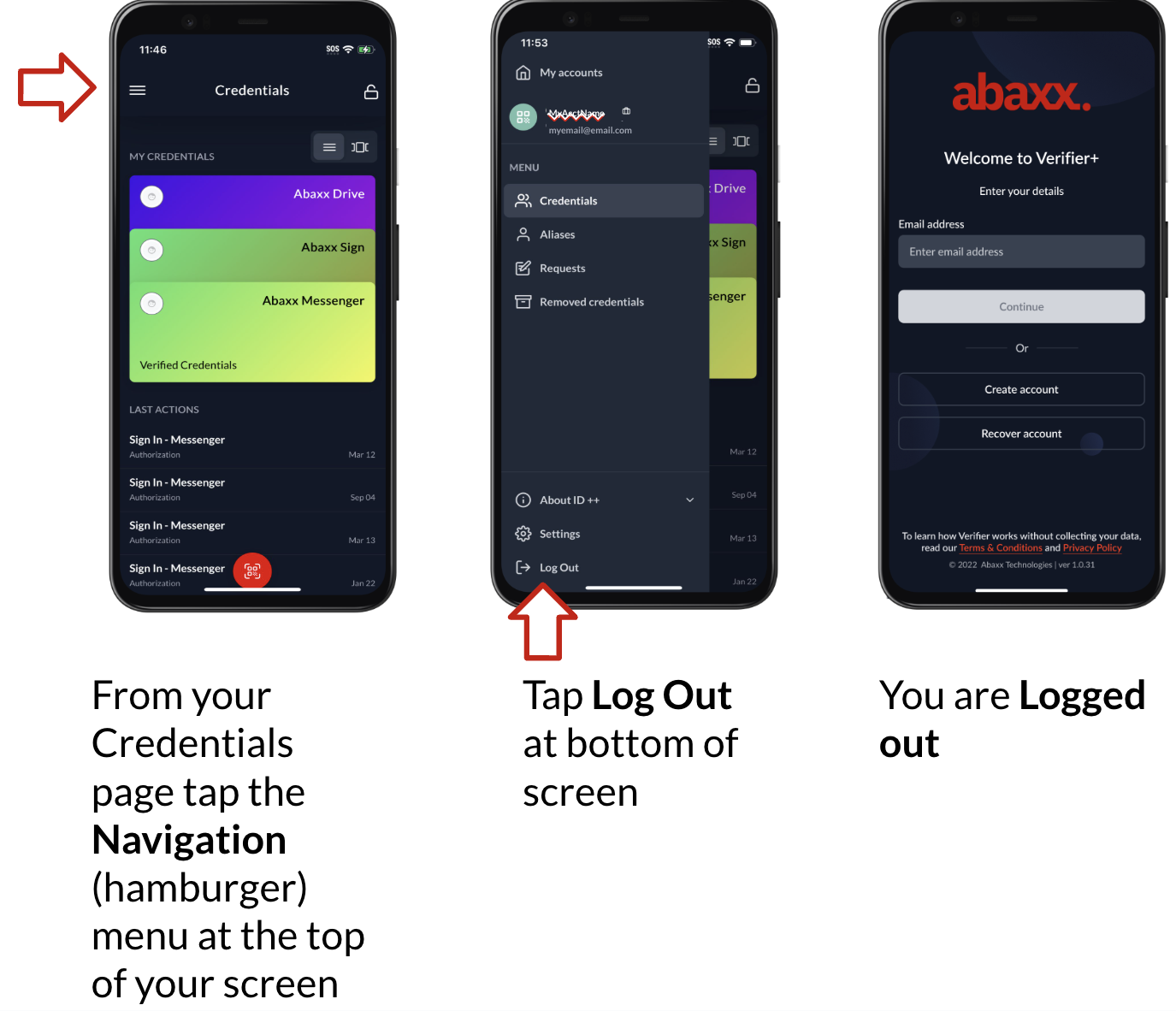
Step 1: Go to the Navigation Menu
From the credential page, click the Navigation menu (three lines in the top left corner).
Step 2: Log Out of Verifier+
Click on the “Log Out” option at the bottom of the navigation menu.
You are now logged out of Verifier+
Conclusion:
You should now be familiar with how to log in and log out of Verifier+. Following these steps will help ensure secure access to your account and a smooth experience.
Need assistance or have a question? Contact our support team at support@abaxx.tech for help.